

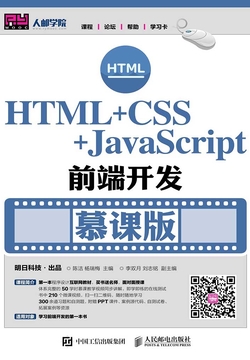
HTML+CSS+JavaScript Front-End Development (MOOC Edition)
Tags
Summary
The book is divided into 16 chapters, covering the basics of web design, getting started with HTML, tables in HTML, creating forms with HTML, using images, entering the multimedia world of HTML, an overview of CSS, selectors in CSS, common CSS properties, transforms and animations in CSS3, an overview of JavaScript, JavaScript fundamentals, JavaScript object-oriented programming, event handling in JavaScript, a comprehensive project—51 Shopping Mall, a course design—Game Park website, and experiments. Each chapter is closely integrated with examples, helping students understand and apply knowledge and achieve the goal of learning for practical use.
Editor's review
As an introductory book, it makes trade-offs in depth, with little coverage of advanced topics such as ES6+ features or front-end frameworks. This is both a limitation and a mark of its precision—it keeps beginners from being intimidated by the sprawling ecosystem and lets them first solidify the core fundamentals. If the accompanying MOOC resources are used effectively, they will greatly enhance continuity of learning and hands-on ability. Overall, this is a solid, dependable introductory guide, suitable as the first book for systematically learning front-end development. With sustained practice through online exercises, readers can quickly gain basic web development skills and lay the necessary foundation for later study of advanced JavaScript applications or frameworks.
Who it's for
A good fit for
- Zero-foundation students in computer-related majors who want to systematically learn the core technologies of web development
- Self-learners transitioning into front-end development who need an introductory tutorial with clear structure and abundant examples
- Back-end or design professionals who want to supplement their front-end knowledge for better collaboration
- Learners using MOOC platforms for online study who prefer close integration of theory and practice
Not a good fit for
- Developers with extensive front-end experience who want to explore advanced topics such as frameworks and engineering practices
- Readers seeking a quick shortcut or merely an overview of front-end development without hands-on practice
Reading tips
- Study the chapters in order and be sure to hand-code the examples in each chapter; understanding matters more than copying
- Make full use of the accompanying MOOC resources, cross-referencing video explanations with the book to deepen understanding
- After finishing each technology module (such as HTML or CSS), try independently building a small static page to consolidate what you have learned
About the publisher
Posts & Telecom Press is known for its strengths in science and technology, computing, and information and communications titles, and has extended its publishing into photography, art, software learning, and inspirational growth, giving it a fairly diverse range. Its catalog includes computing and communications works such as Refactoring and Patterns (Revised Edition) and Huawei Switch Learning Guide (Second Edition), alongside bilingual collector's editions such as The Little Prince (Chinese-English-French illustrated collector's edition), The Great Gatsby, and Three Days to See. Beijing Ten Years: 1980-1990 and Ghost Blade: WLOP Personal Illustration Collection reflect its presence in photography and art. Its authors include Antoine de Saint-Exupéry, Helen Keller, Joshua Kerievsky, Wang Da, Zhang Zhaozeng, and WLOP.
Contents
- 版权信息
- 内容提要
- 前言
- 第1章 网页设计基础
- 1.1 万维网概述
- 1.2 HTML的概念
- 1.3 HTML开发组织
- 1.4 网页设计相关概念
- 1.5 网页的开发工具和浏览工具
- 1.6 网页制作相关技术
- 小结
- 习题
- 第2章 初识HTML
- 2.1 HTML概述
- 2.2 文字标签
- 2.3 段落标签
- 2.4 图片标签与列表标签
- 2.5 链接标签
- 小结
- 上机指导
- 习题
- 第3章 HTML中的表格
- 3.1 绘制表格
- 3.2 行标签<tr>的属性
- 3.3 单元格标签<td>的属性
- 3.4 表头标签<th>的属性
- 3.5 表格的结构标签
- 小结
- 上机指导
- 习题
- 第4章 使用HTML创建表单
- 4.1 表单概述
- 4.2 表单标签<form>
- 4.3 输入标签<input>
- 4.4 文本域标签——textarea
- 4.5 列表/菜单标签
- 4.6 HTML5新增表单属性
- 小结
- 上机指导
- 习题
- 第5章 使用图像
- 5.1 图片的基本格式
- 5.2 添加图像——img
- 5.3 设置图像属性
- 5.4 使用<img>标签插入avi文件
- 5.5 图像的超链接
- 小结
- 上机指导
- 习题
- 第6章 走进HTML的多媒体世界
- 6.1 设置滚动文字
- 6.2 <audio>标签和<video>标签
- 6.3 多媒体标签的基本属性及使用
- 6.4 多媒体标签的方法
- 6.5 多媒体标签的事件
- 小结
- 上机指导
- 习题
- 第7章 CSS概述
- 7.1 CSS的发展史
- 7.2 CSS3特性
- 7.3 主流浏览器对CSS的支持
- 7.4 一个简单的CSS示例
- 小结
- 习题
- 第8章 CSS中的选择器
- 8.1 选择器概述
- 8.2 基础选择器
- 8.3 其他选择器
- 8.4 伪类选择器及伪元素
- 小结
- 上机指导
- 习题
- 第9章 CSS常用属性
- 9.1 文本相关属性
- 9.2 背景相关属性
- 9.3 列表相关属性
- 9.4 框模型
- 9.5 定位相关属性
- 小结
- 上机指导
- 习题
- 第10章 CSS3中的变形与动画
- 10.1 2D变换——transform
- 10.2 过渡效果——transition
- 10.3 动画——Animation
- 小结
- 上机指导
- 习题
- 第11章 Java Script概述
- 11.1 Java Script概貌
- 11.2 Java Script开发环境要求
- 11.3 Java Script在HTML中的使用
- 小结
- 上机指导
- 习题
- 第12章 Java Script基础
- 12.1 Java Script数据结构
- 12.2 数据类型
- 12.3 运算符与表达式
- 12.4 流程控制语句
- 12.5 函数
- 小结
- 上机指导
- 第13章 Java Script对象编程
- 13.1 Window窗口对象
- 13.2 Document文档对象
- 13.3 Java Script与表单操作
- 13.4 DOM对象
- 小结
- 上机指导
- 习题
- 第14章 Java Script中的事件处理
- 14.1 事件与事件处理概述
- 14.2 DOM事件模型
- 14.3 鼠标和键盘事件
- 14.4 页面事件
- 14.5 表单事件
- 小结
- 上机指导
- 习题
- 第15章 综合项目——51购商城
- 15.1 项目的设计思路
- 15.2 主页的设计与实现
- 15.3 商品列表页面的设计与实现
- 15.4 商品详情页面的设计与实现
- 15.5 购物车页面的设计与实现
- 15.6 付款页面的设计与实现
- 15.7 登录和注册页面的设计与实现
- 小结
- 第16章 课程设计——游戏公园网站
- 16.1 课程设计目的
- 16.2 游戏公园网站概述
- 16.3 主页的设计与实现
- 16.4 博客列表的设计与实现
- 16.5 博客详情的设计与实现
- 16.6 关于我们的设计与实现
- 小结
- 附录 实验
- 实验1 通过Dreamweaver创建一个网页
- 实验2 实现网页中的买家评论信息
- 实验3 通过表格制作商城首页
- 实验4 通过表单实现酒店筛选
- 实验5 设置网页中图片的属性
- 实验6 通过<video>标签添加视频
- 实验7 实现鼠标滑过图片时的特效
- 实验8 实现51购商城中鼠标划过的特效
- 实验9 通过列表实现商品排列
- 实验10 通过2D变换实现动态照片墙
- 实验11 输出一张图片
- 实验12 通过循环语句输出年份和月份
- 实验13 实现商品详情中Tab菜单
- 实验14 购物车常用操作
FAQ
Is this book suitable for complete beginners?
Is the technical content in the book outdated?
Do I need to set up a development environment separately?
Related on WeRead
Comments
Find this book
This site is an index: you start “Search all sources” in your browser, and the entries it lists all point to third-party sites; please judge their availability yourself.
About the author
Chen Jie is a Chinese author whose works span a notably wide range of subjects. Public information about her is limited, and her identity and biographical background remain unclear. The library holds 17 of her works, covering categories such as personal finance, computer science, design, inspirational growth, law, and essays, reflecting cross-disciplinary writing interests. Representative titles include legal works such as Research on the Implementation Mechanism of Securities Investor Protection and Judicial Application of Commercial Guiding Cases, as well as a computer technology textbook, HTML+CSS+JavaScript Front-End Development (MOOC Edition). She has also written on traditional culture, including Stories of Ancient Chinese Architecture and its bilingual edition, and Appreciation of Famous Chinese Paintings Through the Ages, along with inspirational and business titles such as Strong as a Mother: The Business Legend of the Dumpling Queen and The Flow Sales Method. Overall, her writing combines professional expertise with popular accessibility for diverse readerships.
Yang Ruimei is a Chinese author whose public information is limited. Available records show that she writes books in the general computer category, with two titles held in the collection. She co-edited Dreamweaver CS6 Web Design Case Tutorial (Micro-Lecture Edition) with Wang Yongqiang; published by Posts & Telecom Press in 2018, it is a case-based textbook on web design. Her other work is HTML+CSS+JavaScript Front-End Development (MOOC Edition), which likewise serves teaching in front-end development and web production. Judging from these titles, her writing focuses on college textbooks and practical casebooks, combining software operations with coding fundamentals for computer courses and beginners studying on their own.
